

Available now on Android and iOS

When authenticity matters
Witness captures proof

Cryptographically sign photos and videos at capture. Proof of authenticity embedded directly in the file. No cloud uploads needed.

No trackers
No ads
Privacy first
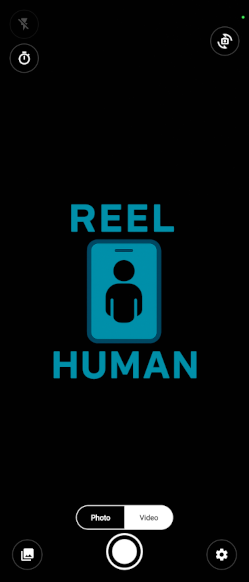
Actual Witness App Interface

Get your unique WitnessID

Your WitnessID links your captures to you and lets you register new devices. It's your identity in the Witness ecosystem.

Register for WitnessID

How it works

Three steps to verifiable truth.

01. Capture

Use Witness App

Take photos and videos directly in the app. Each capture is tied to your unique Witness ID and device signature.

02. Embed

Sign & Seal

The app creates a JSON manifest with cryptographic hashes and embeds it inside the MP4 or JPEG file.

03. Verify

Validate Anywhere

Anyone can check authenticity using the Witness Content Validator. If the file is tampered with, verification fails.

Built for a world of AI media

Security, portability, and human presence are the core design constraints.

Secure foundation

On-device signing plus server-issued Delegated Signing Certificates (DSCs). If the file changes, the signatures don't match — and verification fails.

Portable proof

Witness uses standard MP4 and JPEG files. The manifest is embedded in the file itself, so proof stays attached when you share or move content.

Human in the loop

Every capture is tied to a real person using a real device. Witness doesn't just prove that a file is cryptographically valid — it proves that someone was there and accountable at the moment it was created.

Roadmap Status

  • Complete Phase 1: Proof of Concept
    On-device signing, Manifest embedding, Android/iOS Cameras.
  • Complete Phase 2: Backend Trust
    Public Key Registry, Delegated Signing, Enhance app portability and features prior to launch.
  • Complete Post Rollout: Web Validation, app tweaks
    Release web validator, add minor features to Witness app (improved Settings page and Gallery functions).
  • Planning Phase 3: Real-Time Video Authenticity
    Extending Witness from captured media to live video and video conferencing.

Frequently Asked Questions

Common questions about Witness.

Is my data uploaded to the cloud? +
No. All signing happens on your device. Your photos and videos never leave your phone unless you choose to share them. The only data sent to our servers is your public key for verification purposes.
How does verification work without internet? +
The cryptographic proof is embedded directly in the file and can be used to pass most of the required validation tests. The only test requiring an internet connection is verifying the device information listed in the content file. The public version of that information is stored in the Witness servers and is used to confirm the device and other related information is accurate.
What happens if I lose my device? +
Your WitnessID is tied to you, not your device. You can register a new device using your WitnessID credentials. Previously captured content remains valid and verifiable. You can also deactivate lost devices from your dashboard.
Can I use Witness for legal or professional purposes? +
Yes. Witness provides cryptographic proof of when and where content was captured, and by whom. This chain of custody is valuable for journalism, legal documentation, insurance claims, and any situation where proving authenticity matters.
Is Witness free to use? +
Yes. Witness is free to download and use for individuals. There are no ads, no trackers, and no hidden fees. We believe everyone should have access to tools that prove authenticity. Organizations and professional deployments that require licensing, integration, or institutional use are handled separately.